DSA UX Hub

DSA, which is an internal north star sales experience for Sales Reps, has numerous product teams with different workflows and communication styles, which isn’t an issue — until standardization is needed for efficiency.
After struggling with scattered design and dev documentation across multiple platforms (Figma, Confluence, Storybook, etc.), we asked ourselves: how can we centralize DSA technical guidelines in one place and still make it intuitive to use? Our answer was simple — “Let’s turn this into a side project!”.

Research Kickoff
Despite experiencing firsthand the challenges of finding up-to-date DSA documentation, we wanted to take a data-driven approach to the project to ensure our assumptions were backed by real user input.
We kicked off the research by sending out a survey to designers, developers, and PMs within DSA to better understand their sentiment toward documentation, while also gathering key metrics like usage frequency and perceived difficulty in finding the right information.

Main Research Findings
Difficulty — When searching for up-to-date documentation, users gave a 3 out of 5 score for difficulty.
New platform — User feedback showed clear interest in a centralized hub to simplify access to documentation.
Number of tools — When asked about documentation tools, users reported navigating across up to 7 different platforms.
Essential features — Users said that having search, easy-to-find links and customization would be helpful.

One-stop-shop for DSA resources
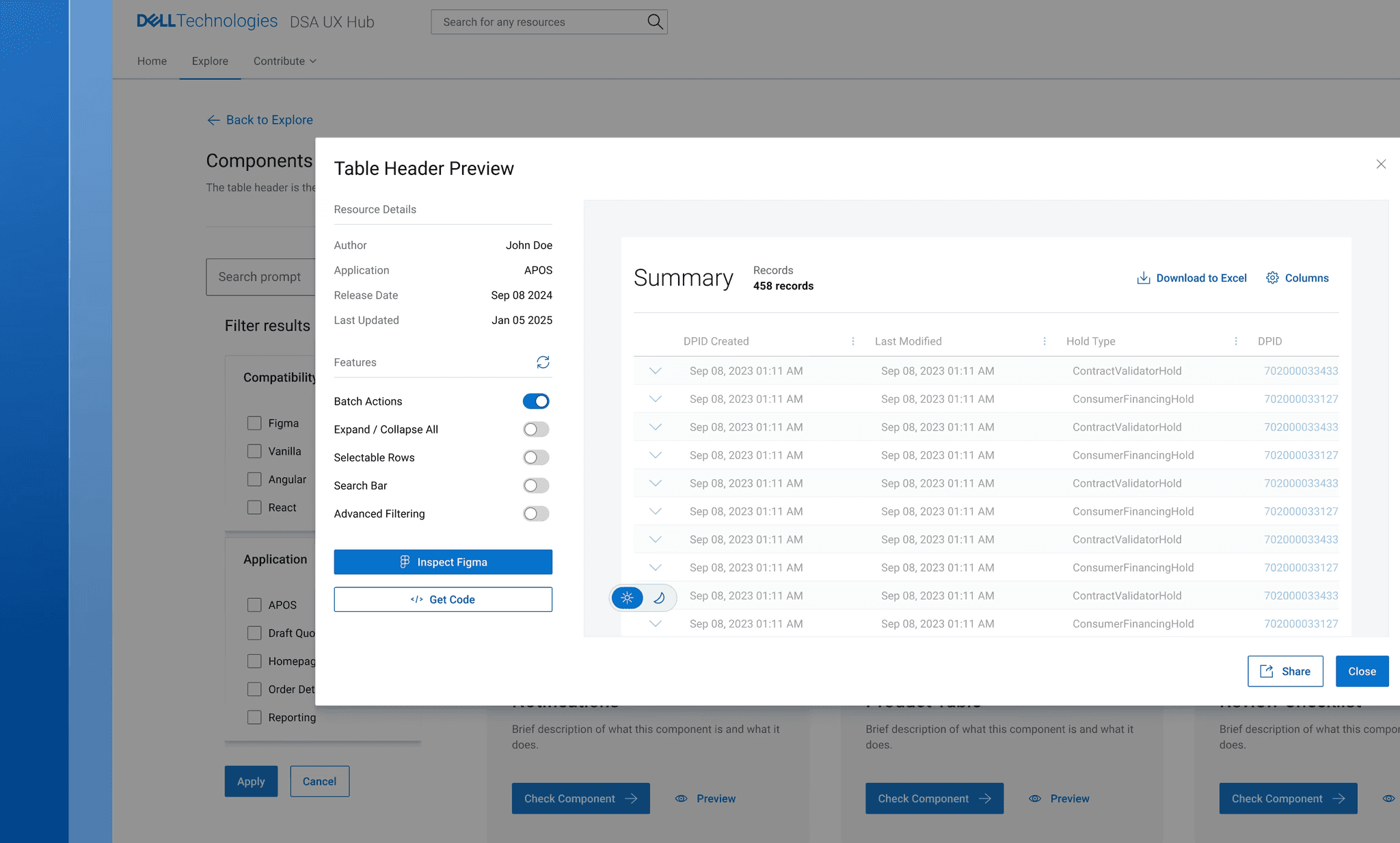
Based on these information, we created a concept platform to centralize all DSA design and dev resources — components, guidelines, and MFEs — in one place.
The DSA UX Hub homepage is designed to be intentionally simple — giving users a quick way to explore the library and jump into collaboration. It also offers a sneak peek at some of the resources available within the hub.


Inspecting component details
There's a dedicated page for every component, guideline, and MFE submitted. Users can navigate through three tabs — Design, Code, and Usage — to access key information like an overview, details, anatomy, live preview, and a list of teams currently using the resource.